
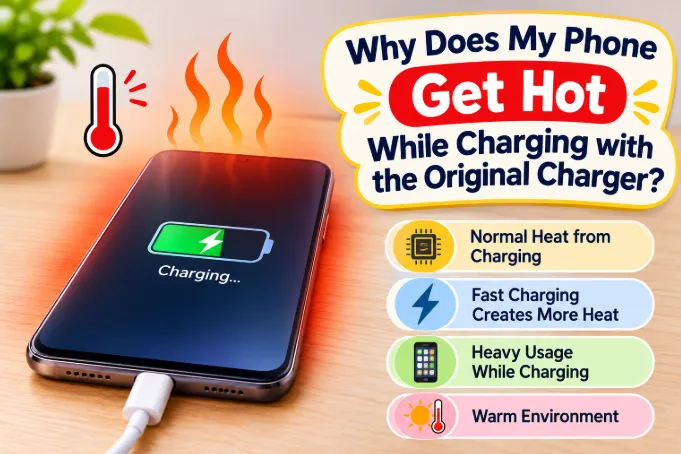
Quick answer: A phone that feels warm while charging is normal, because charging always turns some energy into heat. An original charger can still cause a hot phone through fast charging, using the phone while plugged in, a thick case, weak signal, a worn cable, a dirty port or an aging battery. If the phone is too hot to hold, swollen, or smells odd, unplug it and stop using it.
Your phone came with a charger made for it, so why is it hot? The answer is usually that the charger is fine and something around it is not. This guide separates normal warmth from real problems, covers the searches most articles skip (a hot charger, a hot phone at 100%, a car mount, a power bank), and gives a step-by-step fix.
Is It Normal for a Phone to Get Warm While Charging?
Yes. No battery or charging circuit is perfectly efficient, so some of the energy going in leaves as heat. Fast charging pushes more energy in, so it creates more heat.
Use this as a rough guide:
- Mildly warm, like a mug of warm (not hot) water: normal.
- Clearly hot on the back, but you can hold it comfortably: common during fast charging or use, usually harmless.
- Too hot to hold for more than a few seconds: not normal, so look for the cause.
- Hot plus swelling, a chemical smell, or a lifting screen: stop using it immediately.
Phones protect themselves. When the internal temperature gets too high, they slow charging, dim the screen, close apps or show a temperature warning. Protection kicking in means the phone is working correctly, but it also tells you to fix the cause.
Why an Original Charger Can Still Make Your Phone Hot
People assume that an original charger rules out charging problems. It rules out compatibility problems, but heat has many other sources.
Fast Charging Creates Heat by Design
Many phones are warmest during the first stretch of a charge, when power is highest, and cooler near the end as the phone reduces current. Exact behavior varies by brand and model, but a hot start with a cool finish is the typical healthy pattern.
You're Using the Phone While It Charges
This is the most common cause on a healthy phone. The processor, screen and mobile radio all make heat, and the charging circuit adds its own. Gaming, video calls, navigation and streaming while plugged in stack all of these together. For the long-term effect on the battery, see our guide on whether using your phone while charging reduces battery life.
Weak Signal Forces the Modem to Work Harder
In poor coverage, the modem raises its transmit power to hold the connection, which uses more energy and generates heat. Charging in a basement, an elevator-like room or a thick-walled corner can make the phone noticeably hotter. Heavy data use compounds it, which is related to why a phone battery drains faster on mobile data.
The Case Traps Heat
Thick silicone, leather, wallet and rugged cases insulate the phone. If the phone is much hotter with the case on than off, the case is part of the problem.
Soft Surfaces Block Airflow
Beds, sofas, pillows and blankets hold heat in. Charging under a pillow is one of the most common reasons for a very hot phone. Charge on a hard, open surface.
A Hot Room, Sunlight or a Warm Car
Batteries prefer moderate temperatures. If the air around the phone is already warm, it can't shed heat. A phone charging near a sunny window can overheat even with a perfect charger.
Heavy Background Work While Plugged In
Phones often schedule heavy tasks while charging: photo backups, cloud sync, app updates and indexing. If your phone is hot with the screen off, this is a likely reason.
A Recent Update or Fresh Setup
After a system update or a restore, the phone may spend hours (sometimes a day) optimizing apps and rebuilding indexes. It can run hotter during this period, including on the charger, then settle down.
Lint, Dust or Moisture in the Port
Pocket lint can pack into the charging port and cause a poor connection. A poor connection means extra resistance, and resistance becomes heat right at the port. Moisture is worse and can trigger a liquid-detected warning.
An Aging Battery
As a battery wears, its internal resistance rises, so the same charge generates more heat. A phone that never got hot but now does after a couple of years may simply have a tired battery.
Where the Heat Is Coming From Tells You the Cause
Feel where the phone is hottest, because location points to the source:
- Upper back, near the camera: the processor is busy. Look at apps, signal and gaming.
- Bottom edge by the port: the port, cable or charging circuit. Check for lint and inspect the cable.
- Center of the back: often the battery, which fits fast charging or aging.
- Only where a wireless pad touches: alignment or something between the phone and pad.
This is a general guide, since the internal layout differs between models, but it narrows things down quickly.
What If the Charger Itself Gets Hot?
Many people search this separately, and it's a different worry. A charger adapter converts wall power to the lower voltage your phone needs, and that conversion creates heat. A fast charger running at high wattage will feel warm or even quite warm to the touch, especially when it's tucked behind furniture or covered by a cloth.
Normal: warm but touchable, and cooling after charging ends.
Concerning:
- Too hot to hold comfortably.
- A burnt, fishy or plastic smell.
- Buzzing, crackling or clicking sounds.
- Discoloration, cracks or a loose plug that wobbles in the socket.
- A hot wall socket or a plug that feels loose.
If you notice any of these, stop using the charger. Also give it airflow: don't charge under pillows, in a fabric pouch or behind a couch.
Why Is My Phone Hot at 100% While Still Plugged In?
At 100% the phone stops pushing charge into the battery, so you'd expect it to cool down. But if it stays plugged in and is being used, the phone is running on power from the wall, and the processor and screen still generate heat. Some phones also keep topping the battery up in small amounts.
Some gaming phones offer bypass or pass-through charging, which feeds power straight to the phone rather than through the battery while you play. This reduces battery heat, though the processor still gets hot. If your phone has this feature, turn it on for long sessions.
If you game a lot, unplug at around 80 to 100% or enable the phone's charge-limit option when available, rather than leaving it at 100% on the charger for hours.
Original Charger, but the Wrong or Weak Cable
A charger and phone agree on the power level by "negotiating" through the cable. A cable that can't carry the charger's wattage, or one that is damaged inside, can cause an unstable connection, repeated stops and starts, slower charging and heat at the connectors.
Signs of a cable problem:
- The plug end feels hotter than the charger body.
- Charging works only when the cable is held at an angle.
- The charging icon flickers.
- The phone charges more slowly than it used to.
Use the cable that came with the charger, or a good quality cable rated for the same wattage. Cheap unbranded cables are a common hidden cause of a "hot phone on an original charger."
Is Your "Original" Charger Really Original?
Sometimes the charger is original in name only. A replacement bought online or from a roadside shop may be a lookalike with the right logo and none of the safety features. Counterfeit chargers can run hotter, charge unevenly and, in the worst cases, be unsafe.
Things worth checking:
- Compare the weight, print quality and markings with a genuine one.
- Look for spelling errors or blurry text on the label.
- Check that the wattage printed on it matches the one for your phone model on the manufacturer's website.
- Notice whether it was bought from an authorized seller.
If you can't confirm a charger is genuine, replace it with one from an authorized seller. It's a small cost compared with damage to the phone.
Hot Only on 5G, Hotspot, GPS or Bluetooth?
Different features create different heat, so figuring out which one triggers it helps.
- 5G: 5G modems can draw more power than 4G, especially at weak 5G signal where the phone keeps switching networks. If the phone is cooler on 4G, switch to 4G while charging.
- Mobile hotspot: a hotspot runs the modem, Wi-Fi radio and processor together while sharing data. It's one of the hottest everyday tasks, and doing it while charging adds more.
- GPS and navigation: continuous location tracking plus a bright screen is a heavy combination, particularly on a car mount.
- Bluetooth: it usually makes a small difference alone, but streaming to earbuds or a car system while charging and using maps adds up.
A quick test: turn off one feature at a time during charging and see whether the heat drops.
Phone Hot While Charging in the Car
Cars combine several heat sources: sun through the windshield, a dashboard mount, a car charger, navigation, a mobile connection and often wireless charging pads that trap the phone.
To reduce heat in the car:
- Mount the phone out of direct sunlight, and use the air vent if it suits your car (not in winter heater mode).
- Avoid wireless car pads in summer, as they add heat and trap the phone.
- Use a good quality car charger rated for your phone's wattage.
- Dim the screen or switch to audio navigation.
- If the phone shows a temperature warning, let it cool down before charging.
Wireless Charging vs Wired Charging
Wireless charging loses more energy than a cable, so more of it becomes heat. If you use a wireless pad:
- Center the phone on the coil.
- Remove thick cases and anything metal, like a card or a magnetic ring, between the phone and pad.
- Don't use it in a warm room.
- Switch to wired charging if heat is a recurring problem.
What If the Phone Gets Hot Charging From a Power Bank?
The same principles apply, with one extra variable: power banks differ widely in output quality. A cheap one may deliver unstable power, and a hot, enclosed bank in a bag can raise the phone's temperature further. If the bank charging stops early or behaves oddly, see our article on why a power bank stops charging before 100%. As a rule, don't charge from a power bank while it's inside a bag or under blankets.
When Is a Hot Phone Dangerous?
Heat alone rarely is. These signs are serious:
- The phone is too hot to hold for more than a few seconds with nothing running.
- The back or screen is bulging, lifting or separating.
- A burning, chemical or sweet smell.
- Melted or discolored plastic near the port.
- A burnt smell or discoloration from the charger or cable.
- Repeated shutdowns or restarts while charging.
If you see any of these, unplug the phone, stop using it and take it to a service center. Don't keep charging a swollen battery, and don't try to puncture or press it.
How to Fix a Phone That Gets Hot While Charging
Work through these in order. Most are free.
Step 1: Take Off the Case
Charge for a few minutes without it and compare. If the phone runs cooler, switch to a thinner case or remove it while charging.
Step 2: Stop Using the Phone While Charging
Let it charge undisturbed, especially during the first stretch of fast charging. Close heavy apps first.
Step 3: Move to a Cooler, Harder Surface
Charge on a desk, away from windows, heaters, bedding and bags.
Step 4: Restart the Phone
A restart clears stuck background processes. If the heat started suddenly after normal behavior, this alone may fix it.
Step 5: Check Battery Usage by App
Open the battery section in settings and look for an app using far more than normal. Update, restrict or uninstall it. Pay attention to apps installed shortly before the heating began.
Step 6: Clean the Port Carefully
Power the phone off and use a wooden or plastic toothpick to lift lint, scraping gently along the walls. Never use metal pins, and never blow into the port with your mouth.
Step 7: Inspect and Swap the Cable
Check both ends for bends, loose fit or discoloration. Try another good quality cable rated for your charger's wattage.
Step 8: Test a Different Wall Socket and Charging Spot
A loose socket or extension board can add heat at the plug. Try another outlet directly on the wall.
Step 9: Turn On Optimized or Adaptive Charging
Many phones offer a mode that slows charging overnight or holds at around 80% until shortly before you wake up. It reduces heat and wear. Names and options vary by brand.
Step 10: Update the Software
Manufacturers fix battery and thermal bugs in updates, so install pending system and app updates.
Step 11: Check Battery Health
Many phones show battery health or capacity. If it has dropped substantially, a battery replacement may be the real fix, and it's often much cheaper than buying a new phone.
Does Charging Overnight Cause Overheating?
Modern phones stop charging at full and top up only as needed, so overnight charging does not "overcharge" the battery in the old sense. The real risk is the environment: a pillow, bed, case or hot room traps heat for hours. Long periods at high charge and high temperature wear the battery faster. Charging on a hard surface with optimized charging turned on is a much healthier habit.
Why Does My Phone Charge Slowly and Get Hot at the Same Time?
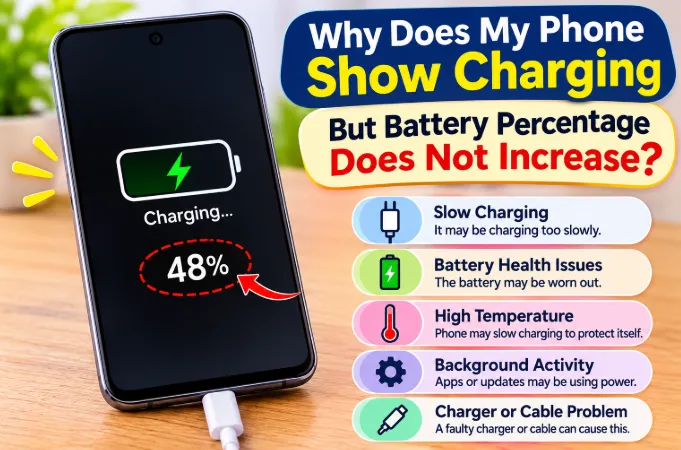
There are usually two explanations. Either the phone is thermally throttling, reducing charging speed on purpose because it is already hot, or the connection is poor (a damaged cable, dirty port or loose socket), which wastes energy as heat while delivering little power. If charging seems stuck, read our article on a phone that shows charging but the battery isn't increasing.
Does a Hot Charging Phone Damage the Battery?
Occasional warmth does not. Repeated or prolonged high temperatures accelerate chemical aging, so the battery loses capacity sooner. A worn battery can later cause sudden percentage jumps, such as those in our post on a phone battery dropping suddenly from 50% to 20%. Keeping heat under control is one of the best ways to protect battery health.
Quick Reference: Normal vs Concerning
| Situation | Likely Verdict |
|---|---|
| Warm during the first part of fast charging | Normal |
| Hot while gaming or video calling on the charger | Expected, avoid the combination |
| Hot with the screen off and nothing running | Check background apps, signal, updates |
| Hot only at the port | Check port and cable |
| Much hotter with the case on | Case is trapping heat |
| Charger too hot to hold or smells burnt | Stop using it |
| Hot in the car only | Sun, mount or wireless pad |
| Hot, swollen or smelly | Dangerous, stop using it |
Frequently Asked Questions
Why does my phone get hot only when charging and not otherwise?
Charging adds heat from the charging circuit and battery on top of normal use. If the phone is cool otherwise, the cause is usually fast charging, a thick case, poor ventilation or a worn cable.
Why does my phone get hot while charging when it's switched off?
A switched-off phone still charges, so it still creates some heat, but it should be only mildly warm. If it is very hot while off, the battery or charging circuit may be faulty and should be checked.
Why does my phone get hot at 80% charge?
Many phones slow charging around that point to protect the battery. If it's hot there, it may have been charging a long time in a warm spot, or the battery may be aging.
Is it safe to use a phone that gets hot while charging?
If it's only warm, yes. If it's too hot to hold, or you notice swelling, odors or discoloration, stop using it and have it inspected.
Why is my phone hot with the original charger but not with another one?
A slower charger delivers less power, so it creates less heat. That doesn't mean the original is faulty. If the original charger is unusually hot or the heat appeared suddenly, check the cable, port and whether the charger is genuine.
Why is my charger hot but my phone is not?
The charger converts power and creates heat doing it, so warmth is normal at high wattage. Make sure it has airflow, and stop using it if it smells burnt, buzzes or is too hot to hold.
Can a phone case really make charging hotter?
Yes. Thick or insulating cases hold heat in. Removing the case while charging is one of the easiest tests.
Why does my phone get hot at 100% when plugged in?
The phone stops charging the battery but still runs on wall power. If you're using it, the processor and screen still produce heat. Gaming phones with bypass charging reduce battery heat during play.
Can a bad cable make my phone hot even with an original charger?
Yes. A damaged or low-rated cable adds resistance and unstable power, which creates heat, usually at the connector ends.
Is it normal for my phone to get hot while charging in the car?
It's common, because of sun, navigation, mobile data and trapped airflow. Keep the phone out of direct sun, avoid wireless car pads in hot weather and use a quality car charger.
How hot is too hot for a phone while charging?
No single number fits every phone. A practical rule is that if you can't hold it comfortably, it's too hot. Phones also show warnings or reduce performance when internal temperature gets too high.
Will a battery replacement stop my phone from overheating?
If the battery is worn, it often helps noticeably, because a new battery has lower internal resistance. If the heat comes from software, signal, the case or the cable, a new battery won't solve it.
Does airplane mode reduce heat while charging?
It can. With the radios off, the phone doesn't spend power searching for signal, and it often charges a little faster too.
Should I stop using fast charging to prevent overheating?
You don't have to, since fast charging is designed to be safe. If heat bothers you, use a lower-wattage charger sometimes, enable optimized charging, and avoid fast charging in hot places or while using the phone.
Final Thoughts
A phone that gets warm on its original charger is usually behaving normally, and the cause is often fast charging, heavy use, a case or a hot room. Extreme or sudden heat, or heat with swelling or smells, points to a cable, port, charger or battery problem worth fixing quickly. Start with the free steps (remove the case, stop using the phone, charge on a hard surface, check the cable and port), then look at the battery if the problem continues.