

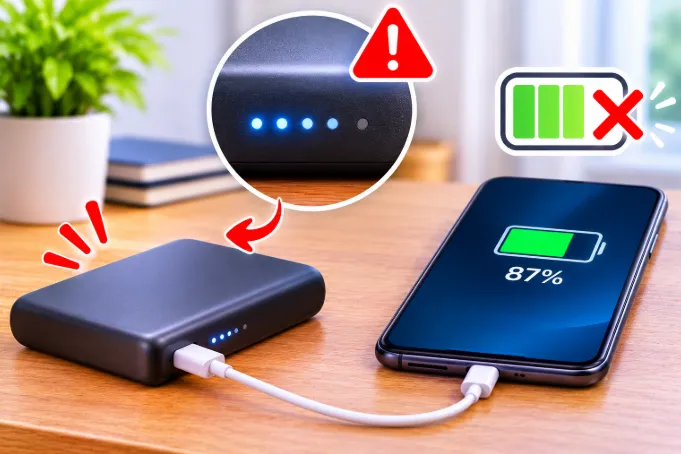
You plug in your power bank overnight and wake up to three solid lights and a fourth one blinking. Or the display says 94%. Or the charging LED switched off while the bank still feels half empty. Most people assume the power bank is faulty, but in the majority of cases it is doing exactly what its charging chip was built to do.
This guide explains what happens inside the power bank during the last part of a charge, how to tell normal behavior from a real fault, and what to change when something is wrong. It also covers the cases most guides skip: a power bank that stops charging your phone at 80%, a bank that charges in an hour and dies in two, and what the numbers on the label really mean.
Is It Normal for a Power Bank to Stop Before 100%?
Usually yes. A power bank that stops between roughly 90% and 99% is normal for three reasons. The last stage of lithium charging is deliberately slow, the lights or percentage on the display are only an estimate, and the charging chip ends the cycle when the current drops below a small cut-off value.
It becomes a real problem when the bank stops far lower, such as 60% or 70%, when it stops at the same low point every time and also drains much faster than before, or when it gets hot, swells, or smells odd. Those signs point to a bad cable, a weak charger, temperature protection, or a worn battery, and each is covered below.
What Happens Inside a Power Bank While It Charges
A power bank is not filled like a bottle of water. Its lithium cells follow a strict routine called constant current followed by constant voltage, and the last stage is where the confusion starts.
Stage 1: Constant Current
When the cell is low, the charger pushes in a steady current while the cell voltage climbs. This is the fast part. By the time the cell reaches its maximum safe voltage, about 4.2V for a standard lithium-ion cell, it holds only around 65% to 70% of its full capacity, according to a DigiKey explanation of CC/CV charging.
Stage 2: Constant Voltage
Once the cell hits that voltage ceiling, the charger holds the voltage steady and lets the current fall away naturally as the cell fills. This is the slow part. The current can shrink to a trickle, so the last 20% to 30% may take as long as the first 70%. A power bank in this stage looks frozen even though it is still working.
Stage 3: Termination
Charging ends when the current falls below a cut-off value. Technical references usually put this at about 3% to 10% of the charging current, and one charging-circuit tutorial notes that a 10% cut-off leaves the cell at roughly 95% state of charge. Cheaper charging chips often use the higher cut-off to save time, which is a quiet reason many power banks stop a little short of a true 100%.
The cut-off is a design choice and not a defect. Pushing more current into a full cell would only stress it and shorten its life.
Why Your Power Bank Stops Charging Early
The Indicator Lights Are Only an Estimate
Many power banks with four LEDs do not measure true capacity. They estimate the level from the cell voltage, and voltage is a poor measure of how full a lithium cell is, especially while current is flowing in. The reading also moves with load and temperature.
This is why the fourth light can blink for a long time, or why a bank shows 95% right after the cell is already full. Some models only confirm the final light after you unplug the charger and the voltage settles. If your bank looks unfinished, unplug it, wait ten minutes, and press the button again before you decide it failed.
The Charging Chip Uses a Higher Cut-Off Current
As explained above, the chip decides when "full" is. A bank that shows 100% only when it reads 4.2V and the current is nearly zero will take far longer than a bank that calls it done at a 10% cut-off. Two power banks of the same capacity can therefore finish at slightly different real levels without either one being broken.
The Fuel Gauge Has Drifted
Banks with a percentage display use a small gauge chip that tracks the energy going in and out. Over months of partial charges, the chip loses accuracy and its stored "full" value drifts. It may declare the bank full at 92% of the real capacity, or the percentage may jump from 30% to 10% in one step. You may recognize the same pattern in a phone battery that drops suddenly, because phones use the same type of estimation. A careful recalibration, described later, often fixes it.
The Input Power Is Too Weak or Unstable
A power bank charged from a laptop USB port, an old 5V 1A adapter, or a car USB socket receives very little current. By the time the cell reaches the constant voltage stage, the incoming current may already be near the cut-off value, so the chip ends the cycle early and the indicator stays below full.
Adapters with an unstable output cause trouble too. If the voltage dips even briefly, some banks restart the whole process or end it.
The Cable Is Adding Resistance
Thin, long, or worn cables resist current. That causes voltage drop, so the power bank sees less voltage than the adapter provides. Fast charge negotiation may fall back to a slow mode, or the bank may stop because the voltage becomes unstable. A short, certified cable fixes more cases than any other single change.
Fast Charging Negotiation Falls Back to 5V
USB-C Power Delivery and similar standards need the adapter, the cable, and the power bank to agree on a higher voltage. If any one of them fails to support it, the bank quietly drops to 5V. At 5V a large power bank can take many hours, and the tiny current can also trigger the cut-off sooner. If your bank charges much slower than the box claims, check that all three parts support the same standard.
Temperature Protection Paused the Charge
Lithium cells should not be charged when they are too hot or too cold. If the bank sits in sunlight, under a pillow, inside a pouch, or in a warm car, the protection circuit pauses charging until it cools. In a cold room, most banks slow down heavily or refuse to charge near freezing. When the temperature returns to normal, charging resumes, but you may not notice and may only see a bank stuck at 70% or 80%.
You Are Charging Devices From It While It Charges
When a bank charges and powers a device at the same time, the incoming energy is split. Anker's support page for a large model states that in this mode the output is about 70% to 80% of the input, and that once the bank is full it stops recharging itself and resumes when the level drops to about 90%. So a bank that looks stuck at 90% while powering a phone may simply be waiting for its next top-up cycle.
Many cheaper banks handle this badly and switch on and off. It is also unhealthy for the cell, the same way that using a phone while charging reduces battery life.
Cell Imbalance in Larger Power Banks
Banks above about 10,000mAh often contain more than one cell. If one cell reaches full voltage before the others, the protection board stops the whole pack to protect that cell, and the indicator shows less than 100%. Cheap packs with poor balancing do this more often as they age.
Wireless and MagSafe Power Banks Run Hotter
A wireless or magnetic power bank loses more energy as heat than a wired one. If the phone is slightly off-center, charging becomes less efficient and warmer, and the phone or the bank may pause to protect itself. If your wireless bank stops at a lower level than a wired one, try wired charging as a test. Heat during charging is a separate topic, which is covered in this guide to why a phone gets hot while charging with the original charger.
The Battery Is Wearing Out
After several hundred full cycles, a lithium cell loses a visible share of its capacity. Many budget cells are rated at roughly 300 to 500 cycles before a noticeable drop, though this varies a lot by quality. As the cell ages, its internal resistance rises, so the voltage hits the ceiling sooner and the charger switches to the slow stage earlier. The bank then seems to fill quickly, stops early, and drains quickly. That is wear, not a charging fault.
The Printed Capacity Is Inflated
A 20,000mAh label does not guarantee 20,000mAh of cells inside. Very cheap power banks sometimes carry far smaller cells and a protection board that cuts charging early. If your "big" bank fills in an hour or two and then drains very fast, the label may be overstated.
Why You Never Get the Full Printed Capacity
This is the most common source of the "my power bank did not charge fully" complaint, and it is rarely explained clearly. A power bank's printed mAh is measured at the cell voltage of about 3.7V. Your phone charges at 5V or higher, so the bank must convert voltage, and the conversion loses energy as heat.
A good power bank typically delivers somewhere around two thirds to three quarters of its printed capacity to your devices, and cheaper ones deliver less. These are approximate figures and vary by model and load. A 10,000mAh bank therefore gives roughly 6,500 to 7,500mAh in practice. If your phone has a 5,000mAh battery, you will get about one full charge and a bit more, not two. That is normal, and it is not a sign that the bank failed to charge.
How to Read the Numbers on Your Power Bank
The small print on the back explains most charging behavior. Take a minute to read it before you blame the bank.
Input Rating
The input line shows what the bank accepts, for example 5V/2A or 9V/2A, and sometimes a USB-C figure such as 18W or 45W. If your adapter provides less than this, the bank still charges, but slowly, and it may end the cycle early. If your adapter or cable does not support the higher voltage, the bank falls back to 5V.
Output Rating
The output line shows what the bank can give a device. A phone charging at 5V/2A uses far less than a laptop. If the output rating is lower than your device needs, the device charges slowly or not at all, and you may wrongly think the bank is not full.
Watt-Hours (Wh)
The Wh figure is the real energy rating. You can work it out yourself: multiply the mAh by 3.7 and divide by 1,000. A 10,000mAh bank is about 37Wh, and a 20,000mAh bank is about 74Wh. This number also decides whether you can take the bank on a plane.
Can You Fly With a Power Bank That Is Not Fully Charged?
A partly charged bank is not a problem for airlines. The limits are about capacity, not charge level. Most airlines allow power banks up to 100Wh in carry-on baggage without approval, allow 100Wh to 160Wh only with airline approval and usually in limited numbers, and do not allow anything above 160Wh. Power banks are generally carry-on only. Because 100Wh is about 27,000mAh at 3.7V, a 10,000mAh or 20,000mAh bank is normally fine, while a 30,000mAh bank is usually above the limit.
Airlines differ and some have tightened in-flight rules, so check your airline's page before you travel and make sure the Wh or mAh label on the bank is readable.
When the Problem Is Your Phone and Not the Power Bank
Many people who search this question actually mean that the power bank stops charging their phone. In that case the bank may be fine. Support pages from Anker and Xiaomi list the same leading causes.
Optimized Battery Charging or an 80% Limit
Iphones have Optimized Battery Charging, which can hold the phone near 80% for a long time, and newer models let you choose an 80% limit. Many Android phones have a similar battery protection mode. The phone is choosing to pause, so changing the power bank will not help. Turn the setting off or tap the notification to charge now if you need a full battery.
The Phone Is Too Warm
Gaming, video recording, long calls, or a warm pocket can push a phone over its heat limit, and it will pause charging, often without a clear message. Let it cool, take off the case, and keep the screen off for a while. If the phone also seems stuck, you may see the same symptoms described in this post on a phone that shows charging but the battery is not increasing.
The Bank Shuts Off at a Very Low Current
Some banks switch off when the device draws too little current, which happens near the end of a phone's charge. The bank turns off, the phone stays at 98% or 99%, and you have to press the button to wake it. Earbuds and watches are the worst for this, since they draw very little. Some banks have a low-current mode for them.
How to Test Whether Your Power Bank Is Really Charging Fully
- Charge the bank with a known good adapter and a short certified cable.
- Leave it plugged in until the charging light changes or turns off, then wait another 30 to 60 minutes so the slow stage can finish.
- Unplug it and let it rest for ten minutes so the voltage settles.
- Press the button again and check the indicator.
- Charge a phone of known battery size from 0% and note how much it gains.
If the result changes when you use a different adapter or cable, the old accessory was the problem. If the bank always delivers less than half of its printed capacity after a full charge and a rest, the battery is worn or the label is overstated.
How to Fix a Power Bank That Stops Charging Early
Switch to a Better Adapter and Cable
Use a short cable, ideally under one meter, and an adapter that meets the bank's rated input. Avoid laptop ports and car sockets for routine charging when you can.
Let It Rest Between Charge and Use
Do not use the bank while it charges, and let it cool before charging if it was just used heavily. Warm cells cause the protection board to pause.
Recalibrate Without Wearing Out the Battery
A deep discharge shortens a lithium cell's life, so do not make this a habit. If the indicator seems wrong, use the bank until it is low, around 5% to 10%, then charge it in one uninterrupted session to full and keep it plugged in for an extra hour. Do this once or twice a year at most, only to help the gauge relearn its limits. If the bank shuts off completely during use, that is fine for a one-time calibration.
Charge at Room Temperature
Keep the bank in a cool, ventilated place. Take it out of a bag or case while charging. Charging in direct sun, in a hot car, or in freezing weather leads to pauses and shortens the battery's life.
Clean the Ports
Lint and dust pack into USB ports and make a loose connection that starts and stops charging. Switch off the bank and gently clean the port with a wooden toothpick or a soft brush. Do not use metal pins.
Try Another Input Port
Some banks have both USB-C and Micro-USB inputs. If one is worn, the other may work normally. If the USB-C input only works at a certain angle, the port is loose and the bank needs repair or replacement.
Signs Your Power Bank Needs Replacing
- It gets very hot while charging or discharging.
- The case is swollen or bulging.
- It fills in a very short time and then drains in minutes.
- It turns off when you plug in a device even though the lights show charge.
- It smells like burning or chemicals.
- It does not respond after a full night on a good adapter.
If you see swelling, heat, or a smell, stop using it right away, keep it away from flammable items, and take it to an electronics recycling point. Do not puncture or press it.
How to Make a Power Bank Last Longer
- Recharge it when it gets low and avoid leaving it empty for days.
- Unplug it once it is full instead of leaving it on charge for weeks.
- Store it at about 40% to 60% charge if you will not use it for a month.
- Keep it away from heat, direct sun, and hot cars.
- Use the supplied cable or one from a reputable brand.
- Charge it with a wall adapter instead of a computer port when you can.
Frequently Asked Questions
Why does my power bank stay at 90% and not go to 100%?
The last stage of lithium charging is slow, and the indicator is an estimate. The cell may already be full, or the chip may have ended the cycle at its cut-off current, which leaves the cell near 95%. Leave it plugged in for another 30 to 60 minutes, unplug it, wait ten minutes, and check again.
Why does the last LED on my power bank keep blinking?
A blinking LED means that section is still charging. It is not a fault. When the cell is full, the light turns steady or the whole display switches off.
Why does my power bank pause charging?
The usual reasons are heat, cold, a weak or unstable input, or the bank being used while it charges. Let it return to room temperature, unplug other devices, and try a different adapter and cable.
Why does my power bank stop charging my phone at 80%?
Most often the phone is doing it. Optimized Battery Charging, an 80% limit, or a heat protection pause can hold the phone near 80%. Check the phone's battery settings and let it cool before suspecting the bank.
Can a power bank charge and be used at the same time?
Some can, but the output is lower than the input, and many cheaper banks do it badly. One large Anker model outputs about 70% to 80% of the input in this mode and waits until the level falls to about 90% before recharging again. Check your manual to see whether your bank supports it.
Should I unplug the power bank when it reaches 100%?
Yes, it is a good habit. Modern banks have protection, but keeping a lithium cell full and warm for long periods slowly reduces its life.
Why does my power bank charge in one hour and die quickly?
That usually means the real cell capacity is far smaller than the label or the cell is worn out. Charge a phone with a known battery size and see how many percent it gains.
Why does my power bank not charge at all after sitting unused?
If a lithium cell is left empty for months, its voltage can drop below the level the protection board accepts and the board locks it. Try a different adapter and wait 15 to 30 minutes. If there is still no response, the cell is probably over-discharged and the bank should be replaced.
Can a bad cable stop a power bank from charging fully?
Yes. A damaged or high-resistance cable lowers the voltage and current reaching the bank, which can cause slow charging, early cut-off, or no fast charging.
Is it safe to charge a power bank overnight?
It is generally safe with a good quality bank and adapter because the protection circuit ends the charge. Still, put it on a hard, flat, ventilated surface and not on a bed, under a pillow, or near anything flammable.
How long does a power bank take to charge fully?
As a rough guide, divide the capacity by the input current, then add 30% to 50% for losses and the slow final stage. A 10,000mAh bank on a 2A input needs roughly 6 to 7 hours. A USB-C Power Delivery input can cut this to a few hours.
How should I store a power bank when I am not using it?
Store it at about half charge in a cool, dry place away from heat and direct sun. Top it up every couple of months so it never sits empty.
What should I do if my power bank gets hot?
Stop using it, unplug everything, and move it to a hard, cool surface away from flammable items. A little warmth is normal under heavy load. Heat that is hard to touch, swelling, or a burning smell means it should be replaced.
Final Thoughts
A power bank that stops at 90% to 99% is usually behaving normally. The slow final stage, a generous cut-off current, rough indicators, and weak adapters explain most cases. Check the cable, adapter, and temperature, read the label, run a gentle calibration if the gauge seems off, and test the real output before you decide the bank is faulty. If it is hot, swollen, or draining fast at the same time, replace it rather than trying to repair it.