
Almost everyone has been told never to touch a phone while it's plugged in. Some people say it kills the battery. Others say it's completely harmless. Both camps are partly wrong.
Using your phone while charging does not harm the battery by itself. The damage comes from heat, and from leaving the battery sitting at 100%. Some activities create a lot of heat and some create almost none, so the answer depends on what you're doing and how you're charging.
This guide covers what happens inside the phone, which activities matter, the safety questions people are afraid to ask (shock, warranty, cracked screens), and a simple test you can run to see the effect on your own phone.
The Short Answer: Heat and Charge Level Matter, Not Usage Itself
Your battery doesn't know whether you're texting or sleeping. It reacts to three things: temperature, charge level, and how fast it's charging or draining.
- Light use (messages, music, reading) adds almost no extra stress.
- Heavy use (gaming, video calls, navigation, video recording) raises temperature quickly, and over months that shortens battery lifespan.
A good rule: if the phone stays cool or mildly warm, you're fine. If it's uncomfortable to hold for more than a few seconds, you're wearing the battery down faster.
What Actually Happens Inside Your Phone
Many people picture a bucket being filled while a hole drains it. The reality is more interesting.
How the Power Gets Split
When a phone is plugged in, incoming power goes to two places: the hardware (screen, processor, modem) and the battery. On most modern phones, the hardware gets served first and the battery gets what's left.
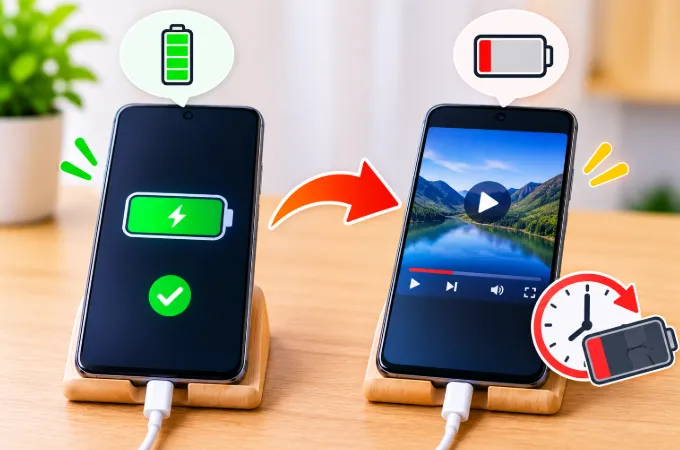
That's why a phone charges slower while you play a game. The processor takes most of the incoming power, leaving little for the battery. If you've seen your percentage barely move while plugged in, our guide on why a phone shows charging but the battery is not increasing covers that situation in detail.
Two Heat Sources Stack Up
- Charging heat. Converting and regulating power produces heat, especially with fast charging.
- Usage heat. The processor, screen brightness, camera, and modem all generate heat under load.
Either one alone is manageable. Together they can push the battery past its comfortable range. If your phone runs warm on a genuine charger, this stacking effect is a big part of why a phone gets hot while charging with the original charger.
Why Lithium-Ion Batteries Dislike Heat
Phone batteries are lithium-ion. Inside, slow chemical side reactions permanently reduce how much charge the battery can hold, and heat speeds them up. Apple lists 0° to 35°C (32° to 95°F) as the comfortable ambient range for iPhones, and most manufacturers give similar guidance. Two identical phones, one living at 25°C and one regularly at 40°C, can show very different battery health after two years.
The Second Factor Most Articles Skip: Time at 100%
A lithium-ion battery is under more stress at 100% than at 70%. Think about how people actually use a phone on a charger: plug in, hit 100%, then keep scrolling for another hour with the cable still attached. The battery sits at maximum voltage and gets small top-ups every time it dips to 99%.
That's mildly stressful even without heat. Add a hot gaming session and you get both damaging conditions at once.
This is why using your phone at 30% to 80% while charging is much less of a concern than using it at 100% on the charger for hours.
Which Activities Are Safe While Charging?
This table is my own estimate based on how much heat each activity typically produces, not official manufacturer data. Actual results vary by phone model, case, charger, and room temperature.
| Activity While Charging | Typical Heat | Battery Risk |
|---|---|---|
| Listening to music | Very low | Negligible |
| Texting, reading, browsing | Low | Negligible |
| Watching YouTube or Netflix | Low to medium | Low |
| Scrolling video-heavy social media | Medium | Low to moderate |
| Video calls | Medium to high | Moderate |
| Navigation with GPS and screen on | High | Moderate to high |
| Recording video | High | High |
| Gaming | Very high | High |
| Gaming + fast charging + thick case | Extreme | Very high |
Gaming Deserves Its Own Warning
Games push the processor and graphics chip hard, usually at high brightness. With a charger attached, the heat has nowhere to go. Many phones respond by throttling performance, which is why games can stutter when plugged in. Heat and settings often work against each other, which is part of why higher graphics settings don't always improve FPS.
If you must game while charging, lower the brightness, reduce graphics, remove the case, and use a standard charger instead of your fastest one.
Navigation in the Car Is an Easy Trap
A phone on a dashboard mount is often running GPS, a bright screen, and a constant cellular connection while charging from the car adapter, sometimes in direct sunlight. That combination is a common recipe for an overheating phone. Keep the phone out of direct sun and point an air vent at it. On hot days, skip wireless car chargers, which add more heat.
A constant data connection also drains power faster than most people expect. We explain why in our post on phone battery draining faster on mobile data, and it's one more reason a mounted phone gets warm in the car.
Does Fast Charging Make It Worse?
In one specific way, yes. Fast charging produces more heat, so using the phone at the same time raises the temperature further.
You don't need to avoid fast charging. Just be aware of the combinations:
- Fast charger + idle phone: fine.
- Fast charger + light use: fine.
- Fast charger + heavy use: this is where things warm up.
If you plan to use your phone heavily while plugged in, a slower charger is kinder to the battery. The extra speed is wasted when most of the power goes to the processor anyway.
Wireless Charging While Using the Phone
Wireless charging is less efficient than a cable. Some energy is lost as heat in the coil and the back of the phone, and misalignment makes the loss worse. Since you can't comfortably hold a phone on a pad while using it, people often leave it half-aligned.
Using the phone on a wireless charger is usually the warmest scenario for everyday tasks. Treat wireless charging as a "set it down and leave it alone" method.
Cables and Chargers: The Quiet Contributors
Cheap or damaged chargers can deliver unstable power. The phone then works harder to regulate it, which creates extra heat. A frayed cable, a loose port, or an uncertified charger can all contribute.
Signs your charging setup may be the problem:
- The phone feels warm even when idle on the charger.
- Charging speed jumps up and down.
- The cable only works at a certain angle.
- The connector or plug feels hot.
Can You Get an Electric Shock While Using a Phone on Charge?
This is one of the most searched questions, and most results give vague answers.
With a genuine, certified charger, the risk is extremely low. These chargers are built with insulation between the mains side and the phone side, so the phone only ever sees low voltage.
Where the tingling or shock sensation comes from:
- Cheap or counterfeit chargers. Poor insulation can let small leakage currents reach the phone's metal frame. Many people describe it as a buzzing or tingling feeling on the metal edges or back.
- Damaged cables. Exposed wiring is a genuine hazard.
- Faulty home wiring or missing earthing. Some adapters feel buzzy on ungrounded sockets.
If you feel tingling while using the phone on charge, stop using that charger. Don't treat a buzzing sensation as normal. Replace the adapter with a certified one.
Water is the real danger. Never use a phone while it's connected to mains power in a bathtub, near a pool, or with wet hands. Most serious charging accidents involve water or a damaged charger, not ordinary phone use.
Will It Damage the Charging Port or Cause Fires?
Charging port damage. Using the phone while charging doesn't damage the port by itself. What does is bending the cable, typing with the phone held at an angle, and yanking the plug out. Short cables make this worse. A longer cable, or a stand, protects the port.
Fires and explosions. These are rare and almost always involve counterfeit chargers, damaged or swollen batteries, or charging under a pillow or blanket where heat is trapped. Normal use with a decent charger doesn't cause this.
Does Using a Phone While Charging Void the Warranty?
No. Using your phone normally while it charges does not void a warranty by itself, and manufacturers don't treat it as misuse.
Warranty problems usually come from:
- Non-certified or counterfeit chargers that damage the phone.
- Physical or liquid damage.
- Third-party battery replacements or unauthorized repairs.
- Swollen batteries caused by misuse, depending on the manufacturer's assessment.
Warranty terms differ by brand and country, so read your own warranty, and use the original charger or a certified one to stay safe on coverage.
Cracked Screen or Swollen Battery: Is It Still Safe to Charge?
These two situations are different from normal use.
Cracked screen. Charging isn't the issue. Moisture and dust getting inside through the crack is. A small hairline crack is usually okay for a short time, but a heavily damaged display can let water in and create short-circuit risks. Get it repaired soon, and avoid using the phone on a charger in humid places.
Swollen battery. This is a stop-using-it situation. Signs include the back panel lifting, the screen separating at the edges, or the phone sitting unevenly on a table. Unplug the phone, switch it off, and take it to a service center. Don't press on the bulge, don't puncture it, and don't keep charging it, because a swollen cell is a fire risk.
Does Airplane Mode or Switching Off the Phone Make Charging Faster?
Yes, slightly.
- Airplane mode shuts down the cellular, Wi-Fi, and Bluetooth radios, which reduces the power drawn and the heat produced. More of the incoming power reaches the battery.
- Powering the phone off is the fastest and coolest way to charge, because almost nothing is using power.
- Do Not Disturb or silent mode doesn't help, since it only silences alerts.
If you're in a hurry and want a quick boost, airplane mode with the screen off is a useful trick.
Does Power Saving Mode Help While Charging?
It does help, mostly through heat reduction. Power saving mode lowers screen brightness, limits background activity, and caps processor performance. That means less heat and more power available to the battery. It's a good option if you need to keep using the phone while plugged in, especially for video or browsing.
One caveat: on some phones, power saving mode switches itself off once the battery reaches a certain level while charging, so check your settings if you rely on it.
Real-World Test: What Happens on Your Own Phone
Most articles repeat the same advice without testing anything. You can see the effect on your own device in about an hour. Here's a simple method:
- Start with the battery at about 30% and the phone at room temperature.
- Charge with your normal charger, phone idle, screen off, for 20 minutes. Record the percentage gained and the back-of-phone temperature (a basic infrared thermometer works, or note how warm it feels).
- Let the phone cool down fully.
- Repeat with the same charger while playing a demanding game at normal brightness for 20 minutes.
- Repeat once more while watching video, and once with airplane mode on.
Record your results in a table like this:
| Test (20 minutes) | Battery Gain | Back Temperature | Notes |
|---|---|---|---|
| Idle, screen off | (your result) | (your result) | |
| Watching video | (your result) | (your result) | |
| Gaming | (your result) | (your result) | |
| Airplane mode, screen off | (your result) | (your result) |
(Replace the placeholders with your actual measurements before publishing, and add the phone model, charger wattage, and room temperature. Original test data is what will set this post apart from competitors.)
Most people find that the gaming row shows both the smallest battery gain and the highest temperature, which neatly demonstrates how heat and charging speed work against each other.
How to Use Your Phone While Charging Safely
You don't have to give up the habit. These steps make it much safer for the battery.
Remove the Case During Heavy Use
Thick cases trap heat. If you're doing anything demanding, take the case off.
Lower the Brightness
The screen is one of the biggest heat producers. Lowering brightness cuts heat without affecting charging speed.
Use Your Phone's Battery Protection Feature
Most phones now include a way to avoid sitting at 100%. Names and availability vary by model and software version, so check your battery settings:
- iPhone: Optimized Battery Charging, and a charge limit option on newer models.
- Samsung: Protect Battery, which caps charging at 85% on supported devices.
- Pixel: Adaptive Charging, plus a charge limit option on recent models and software.
- Other Android brands: look for terms like "battery protection," "overnight charging," or "optimized charging."
Turning one of these on is probably the single most effective thing you can do if you often use your phone while it's plugged in.
Unplug Around 80% When Convenient
You don't have to be obsessive. Just avoid the habit of leaving the phone at 100% for hours while using it.
Keep It Out of Heat
Avoid charging in direct sunlight, in a hot car, or on top of a laptop or other warm device.
Pause Heavy Tasks When It Gets Hot
If the phone feels hot, take a few minutes' break. Many phones will throttle on their own, but you can help.
Signs Your Battery May Already Be Degrading
If you've charged and used your phone this way for a long time, check for these:
- The battery drains much faster than it used to.
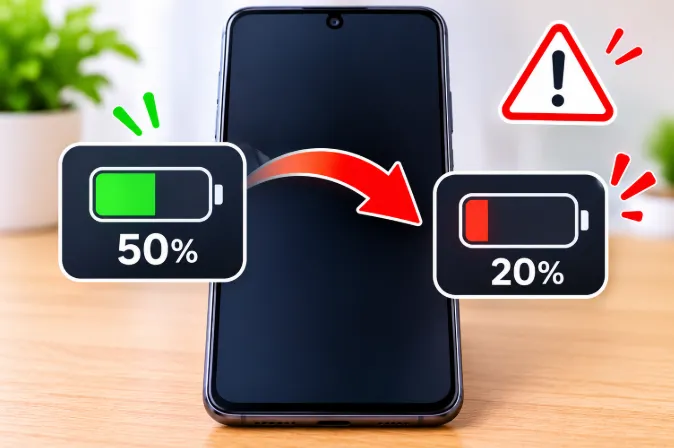
- The percentage drops suddenly, for example from 50% to 20%, which we explain in why phone battery drops suddenly from 50% to 20%.
- The phone shuts down while still showing charge.
- The phone runs warm even during light use.
- The back panel looks slightly bulged or the screen lifts at the edges.
On an iPhone, check Settings, then Battery, then Battery Health. On many Android phones, battery health appears in the battery section of Settings or in the manufacturer's diagnostics app, though availability varies by brand.
Common Myths About Using a Phone While Charging
Myth: It overcharges the battery. Modern phones stop charging at full capacity, so overcharging in the old sense doesn't happen.
Myth: It uses up charge cycles faster. Not really. Cycles are counted by total energy used, not by whether the cable was attached.
Myth: It's dangerous every time. Normal use with a quality charger is safe. The risk comes from heat, poor chargers, and damaged batteries.
Myth: Waiting for 0% before charging is better. Deep discharges are harder on a lithium-ion battery. Smaller, more frequent top-ups are gentler.
Frequently Asked Questions
Can I use my phone while it's charging overnight?
You can, but it's better not to. Overnight charging keeps the battery at 100% for hours, and using the phone in bed can trap heat under bedding. If you do charge overnight, turn on an optimized or adaptive charging feature and keep the phone on a hard surface, not under a pillow.
Why does my phone charge slower when I use it?
The processor and screen take priority for the incoming power, and only the remainder goes to the battery. Heavy use can reduce that remainder to almost nothing, so the percentage barely rises or even falls.
Is it bad to play games while charging?
An occasional session isn't a disaster, but regularly gaming on the charger is one of the more harmful habits because of the heat. Lower the graphics, remove the case, and take breaks if the phone gets hot.
Is watching YouTube while charging bad for the battery?
Not usually. Video streaming creates only moderate heat, and most phones handle it comfortably. Avoid doing it in a hot place or at maximum brightness for long periods.
Can I use my phone while charging from a power bank?
Yes, and the same heat rules apply. Power banks often deliver less power than wall chargers, so heavy use can make the percentage fall even while connected.
Is it safe to use a phone at 100% while plugged in?
It isn't dangerous, but staying at 100% for a long time is mildly stressful for the battery. If you'll keep using the phone for a long stretch, unplug it or enable a charge limit.
Do phone calls while charging damage the battery?
Short calls are fine. Long video calls are different, since the camera, screen, and data connection all run at once and generate real heat.
Does using the phone on a wireless charger damage the battery faster than a cable?
It can, because wireless charging runs warmer. If you use it, avoid heavy tasks and keep the phone properly aligned on the pad.
Why does my phone get warm only when I use it while charging?
Two heat sources are stacking: the charging circuit and the processor. A warm phone is normal. A hot one means you should reduce the workload or switch to a slower charger.
How hot is too hot for a phone battery?
If the phone is uncomfortable to hold for more than a few seconds, it's hotter than ideal. Many phones show a temperature warning or slow charging when it gets too high.
Can I get an electric shock from using my phone while charging?
With a certified charger the risk is very low. Tingling or buzzing usually points to a cheap or counterfeit charger, a damaged cable, or poor home wiring. Stop using that charger and replace it. Never use a plugged-in phone near water.
Does using a phone while charging void the warranty?
No, normal use doesn't void it. Problems arise from non-certified chargers, liquid damage, or unauthorized battery repairs. Check your brand's specific warranty terms.
Is it safe to charge a phone with a cracked screen?
A hairline crack is usually fine for short-term use, but moisture can get in through bigger cracks and cause shorts. Get it repaired soon, and avoid charging in humid places.
Is it safe to charge a phone with a swollen battery?
No. Unplug it, switch it off, and take it to a service center. A swollen battery is a fire risk and shouldn't be charged or used.
Does airplane mode make a phone charge faster?
Yes, slightly. Turning off the radios reduces power use and heat. Switching the phone off completely is even faster.
Does power saving mode help while charging?
Yes. It reduces brightness, background activity, and processor speed, which lowers heat and leaves more power for the battery.
Final Verdict
Using your phone while charging isn't the villain it's often made out to be. A bit of browsing, messaging, or music on the charger won't noticeably reduce battery lifespan. The real damage comes from heat and long periods at 100%, and heavy activities like gaming, navigation, and video calls are the ones that cause both.
If you remember only three things: keep the phone cool, don't leave it at full charge while using it for hours, and turn on your phone's built-in battery protection feature. Do that, and you can use your phone on the charger without worrying.