
If your smartwatch shows fewer steps, fewer calories, a lower heart rate or a lower sleep score than your phone, nothing is necessarily broken. The watch and the phone measure the same day with different sensors, from different parts of your body, and with different math. They almost never agree.
Some of the gap is normal. Some of it is a setting you can fix in two minutes. This guide helps you work out which one you have, and which device deserves your trust for each type of number.
What "Health Rating" Usually Means on a Watch and Phone
"Health rating" is not an official term. People use it for several different numbers, and each one is lower on the watch for a different reason:
- Step count and distance: the most common complaint
- Calories burned: active calories versus total calories
- Heart rate: the watch reading versus a phone camera reading or another app
- Sleep score: the watch score versus a phone-based sleep tracker
- Overall wellness scores: readiness, energy, stress or activity rings
Find your number in the sections below, because the fix depends on it. One quick note: the exact setting names differ by brand (Apple, Samsung, Google, Garmin, Huawei, Xiaomi and others), so look for the equivalent option in your own watch app if a name below does not match exactly.
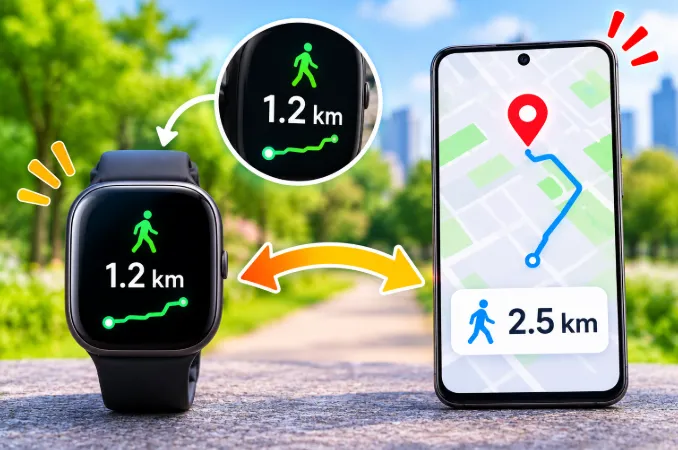
Why Your Watch Shows Fewer Steps Than Your Phone
This is the biggest cause of the complaint. The two devices count steps from different places on your body, and each place has its own blind spots.
Your phone counts movement from your pocket or bag
A phone in a pocket moves with your hips and legs, which is an easy pattern for its motion sensor to recognize. A phone in a bag bounces on every step and can pick up extra counts. Phones in cars, buses and trains also pick up vibration, and sometimes that gets counted as walking. If you commute on rough roads or by train, your phone total may include movement you never made.
Your watch counts movement from your wrist
Watch software has to decide whether a wrist movement is a step or just an arm gesture. To avoid counting typing, cooking or talking with your hands, it filters aggressively. That filtering is why watches often undercount in these situations:
- Pushing a stroller, shopping cart or wheelchair
- Walking with your hands in your pockets
- Carrying a bag, laptop or coffee in the watch hand
- Holding the treadmill rails
- Walking very slowly around the house
If your watch is consistently lower in those situations, it is behaving as designed. Your legs moved, but your wrist did not swing.
If the distance is wrong as well as the step count, our guide on why a smartwatch shows the wrong walking distance covers stride length and GPS calibration in more detail.
The 100-step test to find the more accurate device
Instead of guessing, test both devices yourself:
- Wear the watch normally and carry the phone where you usually keep it.
- Note both step counts.
- Walk exactly 100 steps at a normal pace, counting them yourself.
- Compare the new counts to the starting numbers.
Repeat the test twice, once with the phone in your pocket and once with it in your hand. Whichever device lands closest to 100 is more accurate for that situation. There is no official tolerance, but a result close to 100 is a good sign, and a device that is far off in the same direction every time has a consistent bias you can account for.
Time Your Watch Spends Off Your Wrist
Your phone is with you almost all day, but your watch is not. Every hour it spends on a charger, on a desk while you shower, or on a nightstand is an hour it records nothing. Phone steps keep counting during that time, so the phone total ends up higher.
This is easy to miss. If your watch charges in the morning while you walk around the house, those steps may be missing from the watch total but present on the phone.
Charge the watch at a fixed time when you are normally sitting, such as during a desk session or while you get ready, rather than during the busiest part of your day. A short top-up at the same time every day is better than one long charge that removes the watch from your wrist for hours.
Day Boundaries, Time Zones and Late Syncs
Both devices reset their daily totals at midnight, but each uses its own clock settings. If your phone is on automatic time and your watch is still on the previous time zone after travel, one device can start a new day while the other is still counting yesterday. The result looks like a low score but is really a different time window.
A sync delay causes the same confusion. The watch may hold your latest steps while the phone shows a number from an hour ago. Open the watch app and wait for it to finish syncing before you compare anything.
If your health app refuses to sync unless you open it, background restrictions are probably the cause. Our article on apps that open in the background but not on screen explains why that happens and how to stop it.
A simple rule for fair comparisons: check both devices at the same time of day, after a manual sync, and with both on the same time zone setting.
Double Counting When Data Is Merged
Many phones merge data from several sources, such as the phone's own sensors, the watch and third-party apps. How the app merges them decides which number you see.
- If the app does not remove overlapping periods, your total can be inflated, and the watch looks low by comparison.
- If the app keeps only one source for each time slot, it may choose the phone's higher number and hide the watch's lower one.
In both cases, the impression that the phone is higher may come from the app's merging rule, not from a faulty watch sensor.
Open your health app's data sources or priority settings and set the watch as the top source for steps, heart rate and sleep. Then compare the watch app to the phone app, not to a merged dashboard.
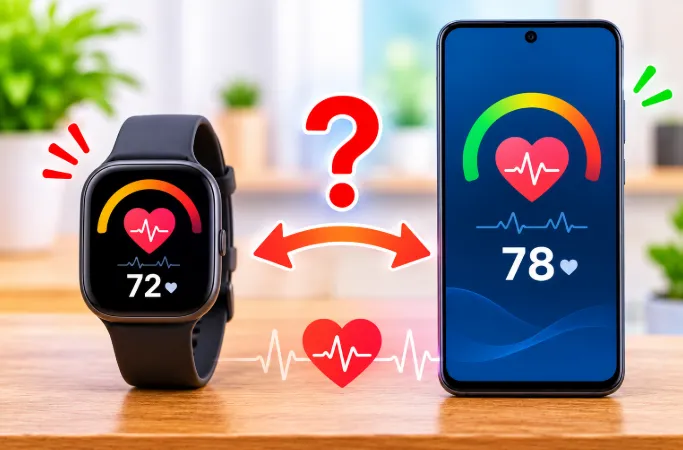
Why Your Watch Heart Rate Is Different From Your Phone
Most phones cannot measure heart rate continuously. If you see a phone heart rate, it came from one of these sources:
- Fingertip camera method: you cover the camera and flash, and the app reads tiny color changes in your skin
- A synced watch or band: the phone is only displaying watch data
- Another app's estimate: some apps guess from your age, activity and earlier data
A watch reads your pulse optically through your wrist, and wrist skin, bone and movement all affect the signal. A fingertip gives a stronger, cleaner signal when you hold still, so the two methods can differ by several beats per minute even when both are working correctly.
Reasons your watch heart rate reads lower
- The band is too loose. Light leaks in and the sensor reads a weak signal.
- The band is too tight. It restricts blood flow and can distort readings.
- You are wearing it too low on the wrist. Move it about a finger's width above the wrist bone.
- Cold hands or skin reduce blood flow near the surface.
- Tattoos, thick hair or very dry skin can block the light.
- Timing. Your pulse drops quickly after you stop moving, so two readings taken a minute apart can differ by many beats.
For a manual check, count your pulse for 15 seconds and multiply by 4. Do it while sitting still, and read the watch and the phone at the same moment rather than minutes apart.
Why Calories Are Lower on Your Watch
Calorie numbers look inconsistent because apps use different definitions.
Active calories and total calories are different numbers
The watch may show only active calories, which are burned through movement. The phone app may show total calories, which include your resting metabolism. These two numbers can differ by well over a thousand calories a day, and it is the single most common reason people think their watch is broken.
Your profile data changes everything
Both devices calculate calories from the age, height, weight and sex stored in your profile. If the watch app and phone app hold different values, they give different results. A weight entered months ago can quietly skew every estimate.
Heart rate gives the watch an advantage
A watch uses heart rate to estimate effort, so it usually estimates workouts better than a phone, which relies mostly on steps. If your workout calories are lower on the watch, it may actually be the more realistic figure, especially if you walked slowly or the exercise was easier than it felt.
Automatic Workout Detection Differences
Many watches can detect a walk, run or cycle automatically and record it with heart rate and GPS. If this feature is off, a brisk 40-minute walk may be logged as ordinary background activity. Your exercise minutes and active calories then look low, while a phone that simply counted steps looks higher.
Turn on automatic workout detection, or start workouts manually when you want accurate effort data. Starting a workout also makes the watch sample heart rate more often, which improves the calorie estimate.
Why the Sleep Score Is Lower on Your Watch
Phone sleep trackers usually rely on movement and sometimes sound, because the phone sits on the bed or nightstand. A watch uses heart rate, heart rate variability and wrist movement.
The difference matters. A phone can count lying still and awake as sleep, which inflates your total. A watch can detect restless or light sleep, so scores that count awake periods or poor recovery come out lower. In that sense, a lower watch score is often the more honest one.
Common watch-side reasons for a low score:
- Wearing the watch loose, so the sensor drops out for part of the night
- Battery saver mode, which reduces sensor sampling
- Going to bed with a low battery and a watch that shuts off overnight
- A late dinner, alcohol, caffeine or a hot room, which genuinely lower sleep quality
If your watch sleep score differs from your phone app every single night, that is normal. The two apps score different signals, so compare how each changes over weeks instead of matching individual nights.
Recovery, Stress and Readiness Scores
Overall wellness numbers such as readiness, energy or stress scores are not simple counts. They combine your sleep, heart rate variability and resting heart rate into one score. A phone cannot measure most of these, so the two devices cannot be compared directly.
A lower watch score can reflect poor sleep, a hard workout the day before, illness, alcohol or stress, rather than a faulty device. If your score drops after a bad night or a heavy training day and then recovers, the watch is doing its job.
Settings That Quietly Lower Your Watch Numbers
Before you assume the watch is inaccurate, check these.
Wrist detection and power saving
Wrist detection turns off the heart rate sensor when the watch thinks it is not on your wrist, and aggressive power saving can reduce sensor activity and pause background tracking. Both lead to missing or lower readings. Try turning battery saver off for a few days and see whether the numbers rise.
Wrong wrist or hand setting
Telling the watch you wear it on your left wrist when it is on your right can change how it reads arm movement. Set the correct wrist and dominant hand in the watch settings.
Outdated software
Sensor algorithms improve with updates, and a mismatch between an old watch version and a new phone app can cause odd readings. Update both. If numbers shifted right after an update, check whether a setting such as wrist detection or data source priority was reset.
Dirty or covered sensors
Sweat, lotion, sunscreen and dust on the back of the watch weaken the heart rate signal. Wipe the sensor with a soft, slightly damp cloth and dry it before wearing.
How to Fix a Large Gap Between Watch and Phone Data
- Update both devices. Sensor algorithms improve with software updates.
- Fit the band correctly. It should be snug but not tight, and sit above the wrist bone.
- Check the profile. Confirm your height, weight, age and wrist setting on both devices.
- Match the clocks. Put both on automatic time and the same time zone.
- Set one primary source in your health app so the numbers are not merged.
- Turn off step tracking on the phone, or remove the phone as a data source, if you only want watch numbers.
- Restart the watch and force a sync before comparing.
- Turn on automatic workout detection so exercise is recorded properly.
- Calibrate with an outdoor walk or run if your watch supports GPS calibration.
- Clean the sensor and wipe the band.
Which Device Should You Trust?
| What you are measuring | More reliable device |
|---|---|
| Steps while walking with hands free | Both are close |
| Steps while pushing a stroller or cart | Phone |
| Steps while driving or on a train | Watch (the phone may overcount) |
| Heart rate during exercise | Watch |
| Resting heart rate by fingertip | Often close to the watch |
| Workout calories | Watch |
| Sleep stages and recovery | Watch |
| Total daily steps if the watch is often off your wrist | Phone |
The practical advice is to pick one device and stay with it. Trends over weeks matter far more than the exact number on any single day, and switching sources makes your trend lines meaningless.
When a Lower Watch Number Means a Real Problem
Be suspicious if you see any of these:
- The watch shows zero or very low steps after a long walk
- Heart rate stays on one number for hours
- Heart rate readings are constantly missing
- The gap suddenly appeared after an update
- Readings are wildly different from a manual pulse count
In these cases, restart the watch, re-pair it, or contact the manufacturer. A hardware sensor fault is rare but possible, especially after water exposure or a drop. If the watch also feels warm, drains quickly or shows odd behavior, note it before contacting support, because it helps them diagnose the problem faster.
Frequently Asked Questions
Why does my phone count more steps than my smartwatch?
A phone in a pocket or bag picks up leg movement and bouncing, and it can also count vibration while you travel. A watch filters out arm movements that do not look like walking, so it usually reads lower, especially when your hand is still.
Is a smartwatch or a phone more accurate for steps?
For walking with a natural arm swing, both are fairly close. A watch is better when you are in a vehicle or doing arm-heavy tasks, and a phone is better when your hands are busy, such as when pushing a stroller.
Why does my watch show 0 steps while I walk?
The most common causes are wrist detection thinking the watch is off your wrist, a loose band, a paused tracking mode, or a sync that has not finished. Restart the watch, check that step tracking is on, and sync it with the phone. If it still shows zero after a long walk, re-pair it.
Why is my watch heart rate lower than my pulse count?
A loose band, cold skin or a low wrist position can all weaken the optical signal. Your pulse also changes quickly, so readings taken even a minute apart can differ.
Why does my watch show fewer calories than my phone?
The watch often shows only active calories, while the phone app may include resting calories. Different profile data and different formulas also change the totals.
Why is my sleep score lower on my watch than on my phone app?
Phone apps often guess sleep from movement, so lying awake can count as sleep. A watch uses heart rate and recovery signals as well, so it detects restless sleep and scores it lower.
Why does my watch sleep score differ from my phone every night?
The two apps use different signals and different scoring formulas, so they will never match exactly. Compare weekly trends, not single nights.
Can I make my watch match my phone?
You can bring them closer by fixing band fit, profile data, clock settings and the wrist setting, and by choosing one source in your health app. They will never match exactly because they measure from different places.
Does battery saver mode lower watch health numbers?
Yes. Power saving can reduce how often the heart rate sensor samples and can pause background tracking, which leads to missing or lower readings.
Why did my watch numbers drop after an update?
Updates sometimes change the tracking algorithm or reset a setting. Check wrist detection, power saving and your data source priority, then restart both devices.
Does charging my watch during the day lower my steps?
Yes. Any time the watch is on the charger, it records nothing, while your phone keeps counting. Charge it while you are sitting or getting ready, not during your most active hours.
Why does my watch show different steps after I travel?
Time zone differences can make the watch and phone start their daily totals at different moments. Set both to automatic time and sync them again.
Should I wear my watch on my dominant hand?
Either wrist works, but you must tell the watch which one you chose. Wearing it on your non-dominant hand usually gives cleaner step data because you gesture less with it.
How tight should a smartwatch be for accurate readings?
Snug enough that it does not slide when you move your hand, but loose enough that it leaves no deep mark on your skin. During a workout, tighten it one notch and loosen it afterwards.